
The following information refers to the AIRY SPORTS TWS and AIRY SPORTS TWS 2. For help with other headphone models, please refer to the overview here.
AIRY SPORTS TWS
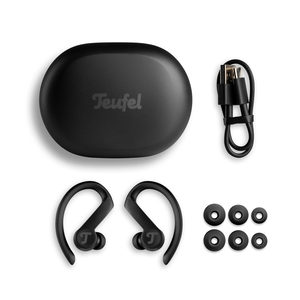
AIRY SPORTS TWS 2
If, for example, you have ordered a corresponding replacement earbud after losing an AIRY SPORTS TWS/AIRY SPORTS TWS 2 earbud, you can set it up as described below after receiving it:
AIRY SPORTS TWS
- Remove the replacement earbud from the delivery packaging.
- Now charge the replacement earbud together with the remaining one in the charging case. The initial full charge may take up to 24 hours.
- After charging, remove both the new and the existing earbud from the charging case and tap the multifunction surface (the area with the logo, No. 1 in the illustration) on both earbuds three times quickly at the same time.
- The replacement earbud and the existing earbud will connect to each other.
- After the pairing process, you can use the AIRY SPORTS TWS again in stereo mode. If the earbuds are connected to each other but pairing with your smartphone no longer works, you can find assistance here: What can I do if the AIRY SPORTS TWS/ AIRY SPORTS TWS 2 no longer connects to my mobile device?
AIRY SPORTS TWS 2
- Remove the replacement earbud from the delivery packaging.
- Now charge the replacement earbud together with the remaining one in the charging case. The initial full charge may take up to 24 hours.
-
Place both earbuds (2 and 3) in the charging case (1) and tap the case LED twice, then hold it for 4 seconds. Like this:
- The replacement earbud and the existing earbud will connect to each other.
- After the pairing process, you can use the AIRY SPORTS TWS again in stereo mode. If the earbuds are connected to each other but pairing with your smartphone no longer works, you can find assistance here: What can I do if the AIRY SPORTS TWS/ AIRY SPORTS TWS 2 no longer connects to my mobile device?