
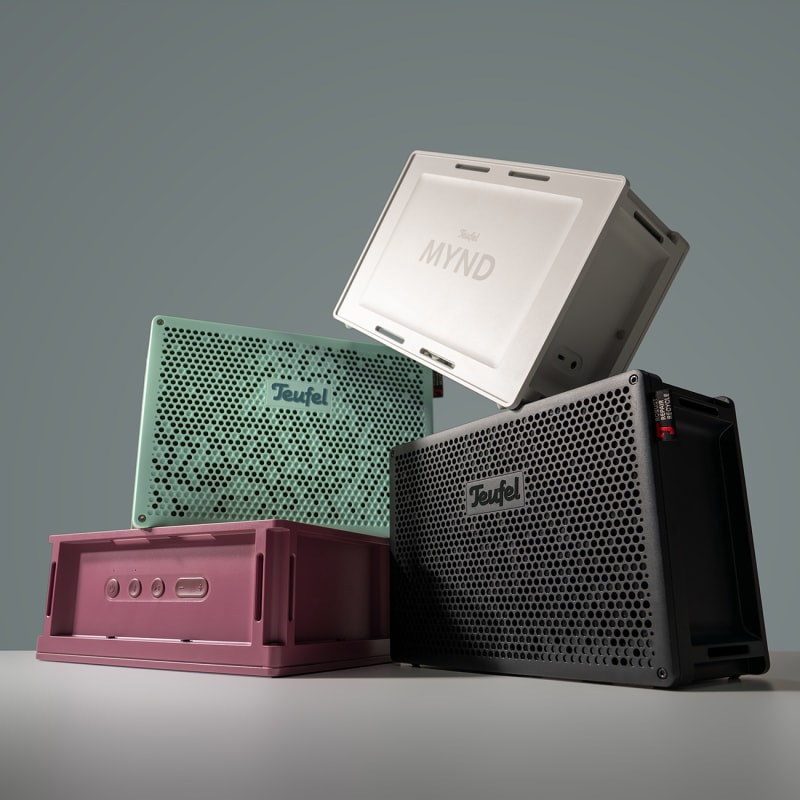
Table of contents:
- How do I connect the MYND to a Bluetooth playback device?
- Deleting the Bluetooth® list
- Is there an app for the MYND?
- How can I connect the MYND to over devices?
- What is energy-saving mode (Eco mode)?
- Can I modify or repair my MYND myself?
- Can I replace the battery?
How do I connect the MYND to a Bluetooth playback device?
- Activate the Bluetooth® function on the external player.
- Press and hold the button (6) for 1.5 seconds. The source status LED (4) flashes blue. Bluetooth pairing mode is now activated.
- Search for Bluetooth® devices on the external player.
- Select the “MYND" loudspeaker in the list of Bluetooth® devices. The source status LED (4) lights up continuously blue
Deleting the Bluetooth® list
Press and hold the button (6) for 8 seconds. The source status LED (4) flashes blue once
Is there an app for the MYND?
You can use the Teufel Go app. The Teufel Go app can be used for the following functions:
- Party Link: Connect speakers via Bluetooth® with up to 100 compatible speakers to form a speaker chain
- Set/change playback source.
- Adjust volume and equalizer.
- Select charging mode and display charging status and charging process.
- Activate/deactivate the automatic off function (Auto-Off).
- Switch system sounds on/off and adjust LED brightness.
- Turn multipoint connection on/off
You can find more information about the app here
How can I connect the MYND to over devices?
You can use Bluetooth® to connect up to 100 compatible speakers (such as the ROCKSTER 2, ROCKSTER NEO, ROCKSTER GO 2, or MYND, MOTIV® GO 2) to form a speaker chain. This can be helpful if you want to fill a larger room with sound. Playback will then be in mono.
NOTE: Party-Link can also be setup using the Teufel Go App.
How to activate Party Link:
- Connect an external player using Bluetooth® to the first speaker.
- Press and hold buttons 6 and 9 on the first speaker for half a second. the Bluetooth LED in position four will blink purple.
3. Power on an additional speaker.
4. Press and hold buttons 6 and 9 on the second speaker for half a second. the Bluetooth LED in position four will blink yellow.
5. (optional) In order to connect an additional speaker, repeat steps 3 and 4 with every additional speaker.
What is energy-saving mode (Eco mode)?
When Eco mode is activated, the battery life of the speaker is increased by up to 80%.
- LEDs are dimmed.
- Maximum volume is limited.
- Low bass tones are reduced.
- The equalizer in the Teufel Go app is deactivated
Can I modify or repair my MYND myself?
We provide you with circuit diagrams, CAD files, firmware, and instructions to give you the opportunity to expand the MYND with your own features. Here is the link:
Feel free to check out our blog posts:
- Cradle to Cradle: How the MYND is Setting a New Standard in Sustainable Audio
- Visionary MYNDs: Insights on Teufel’s First Open-Source Speaker
Note: We cannot provide any warranty or liability for damages caused by implementation – neither to the MYND speaker itself nor to external components such as the Raspberry Pi. Please check all connections carefully. Incorrectly plugged cables can cause defects. Implementation is at your own risk. We also cannot guarantee that the modification will work in every case for you.
Liability and warranty disclaimer
We are only liable for damages caused to our customers by the use of the freely provided CAD files, circuit diagrams, and firmware if caused by intent or gross negligence. In particular, we do not assume liability or warranty for unforeseeable, atypical damages resulting from production errors during your own printing process or defective material use.
For defects inside and outside the warranty, the following information will help you:
Can I replace the battery?
You can easily replace the MYND battery yourself. Useful links: